 laKiosk
Guests order and pay without a queue
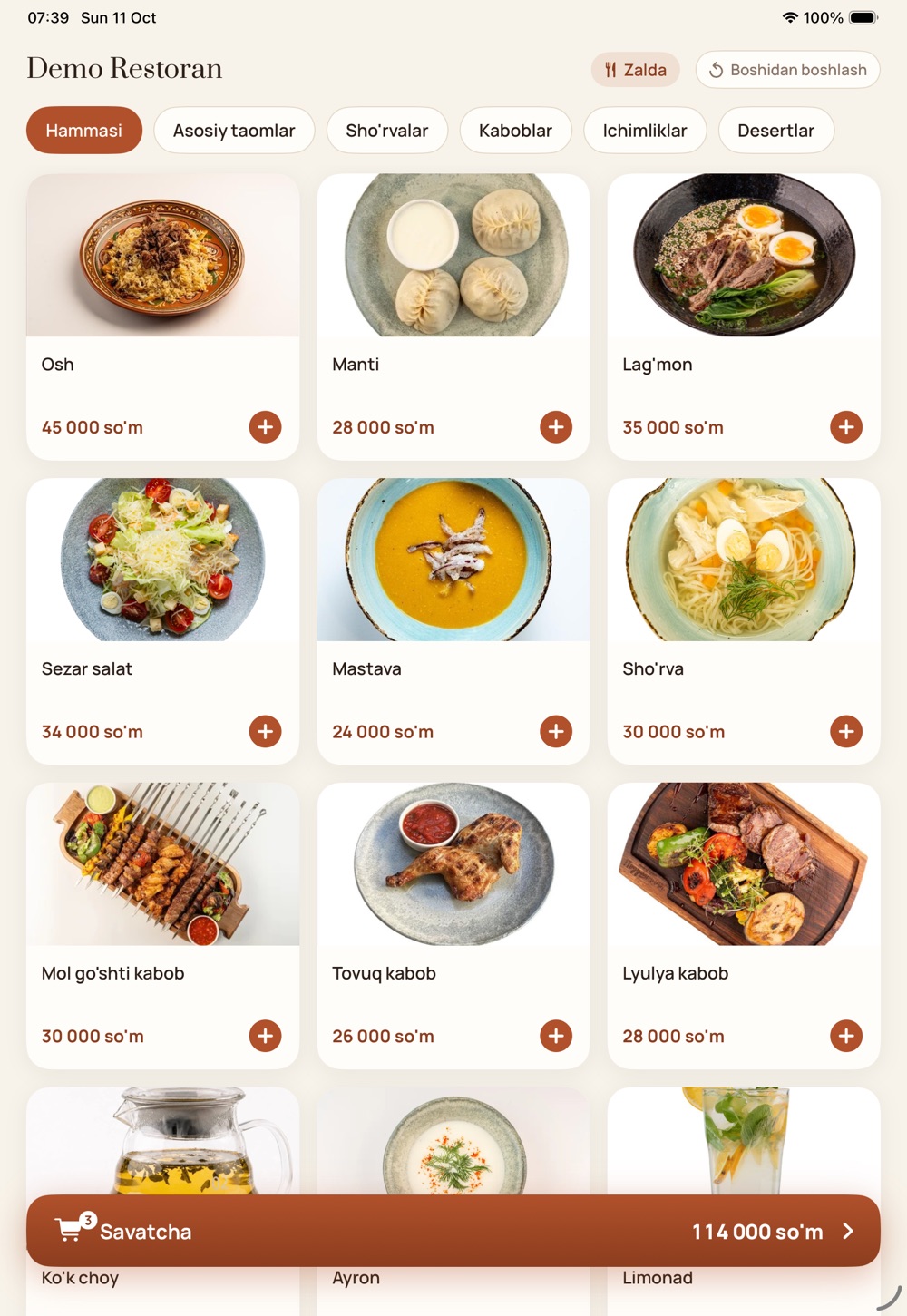
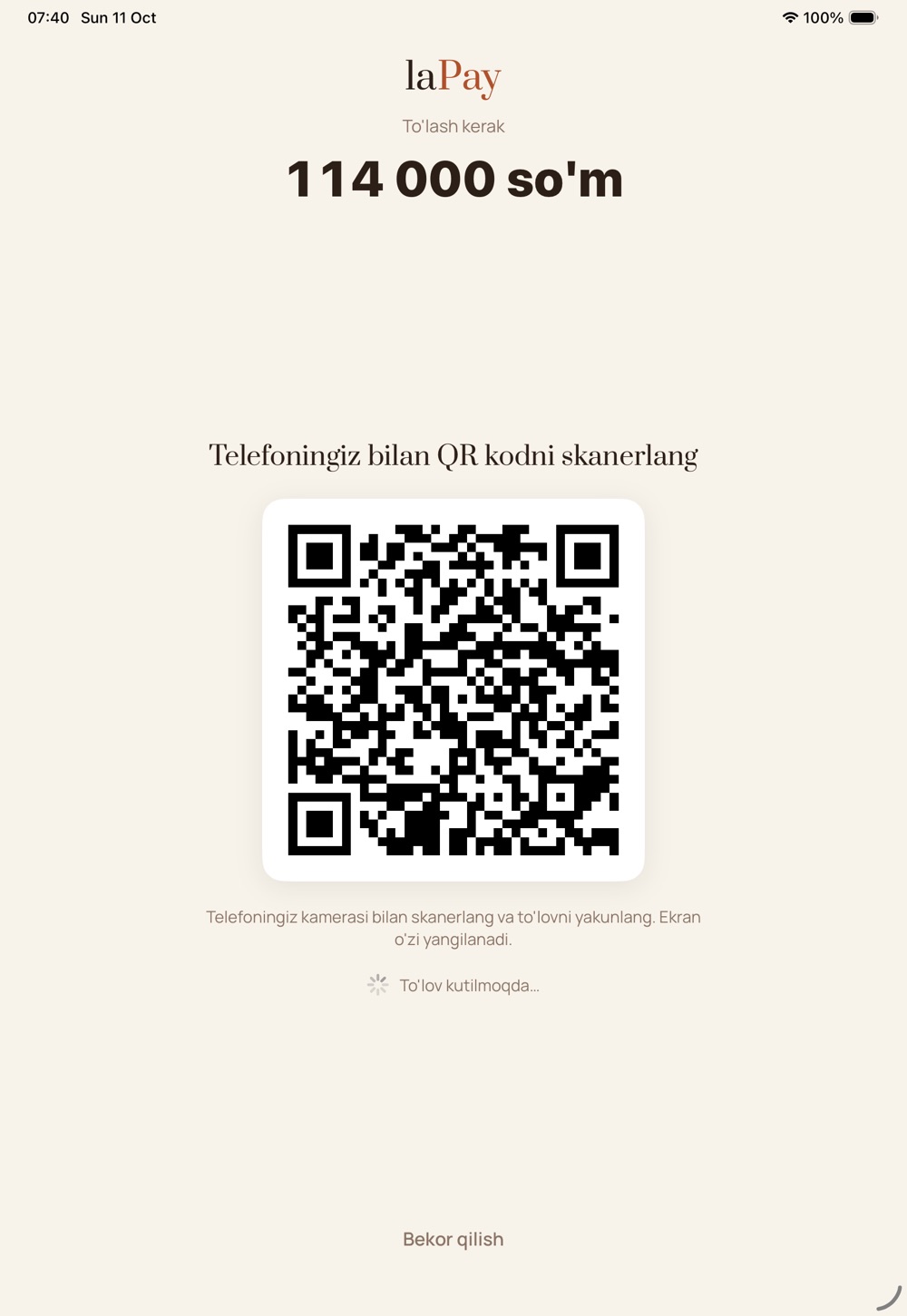
The kiosk stands at the entrance: guests pick «Dine in» or «Take away», build a cart from a photo menu and pay with their own phone via the QR on screen. Meanwhile, the cashier serves someone else.
Download the app
An order reaches the POS and kitchen only after payment is confirmed — unpaid orders never tie up the kitchen.
From the door to payment in a minute
A simple, linear flow: guests don't get lost and staff don't need to step in.
Already connected to laCafe
laKiosk is part of the laCafe ecosystem: it works with your menu, branches, POS, kitchen and payment apps.
Pay first
Until it is paid, an order reaches neither the POS nor the kitchen. Unpaid orders cancel themselves after 15 minutes.
A menu per kiosk
In settings you pick the menu and payment methods for each kiosk from the restaurant's menus and connected methods.
Payme, Click, Uzum
Through the payment accounts connected in your restaurant. Guests enter card details on their own phone, not on the kiosk.
Resets by itself
If a guest walks away halfway, the kiosk returns to the start screen within minutes and clears the cart.
Kiosk mode
The app runs full screen with staff settings hidden. The tablet sits on a stand and works all day.
3 languages
Guests choose Uzbek, Russian or English on the start screen.
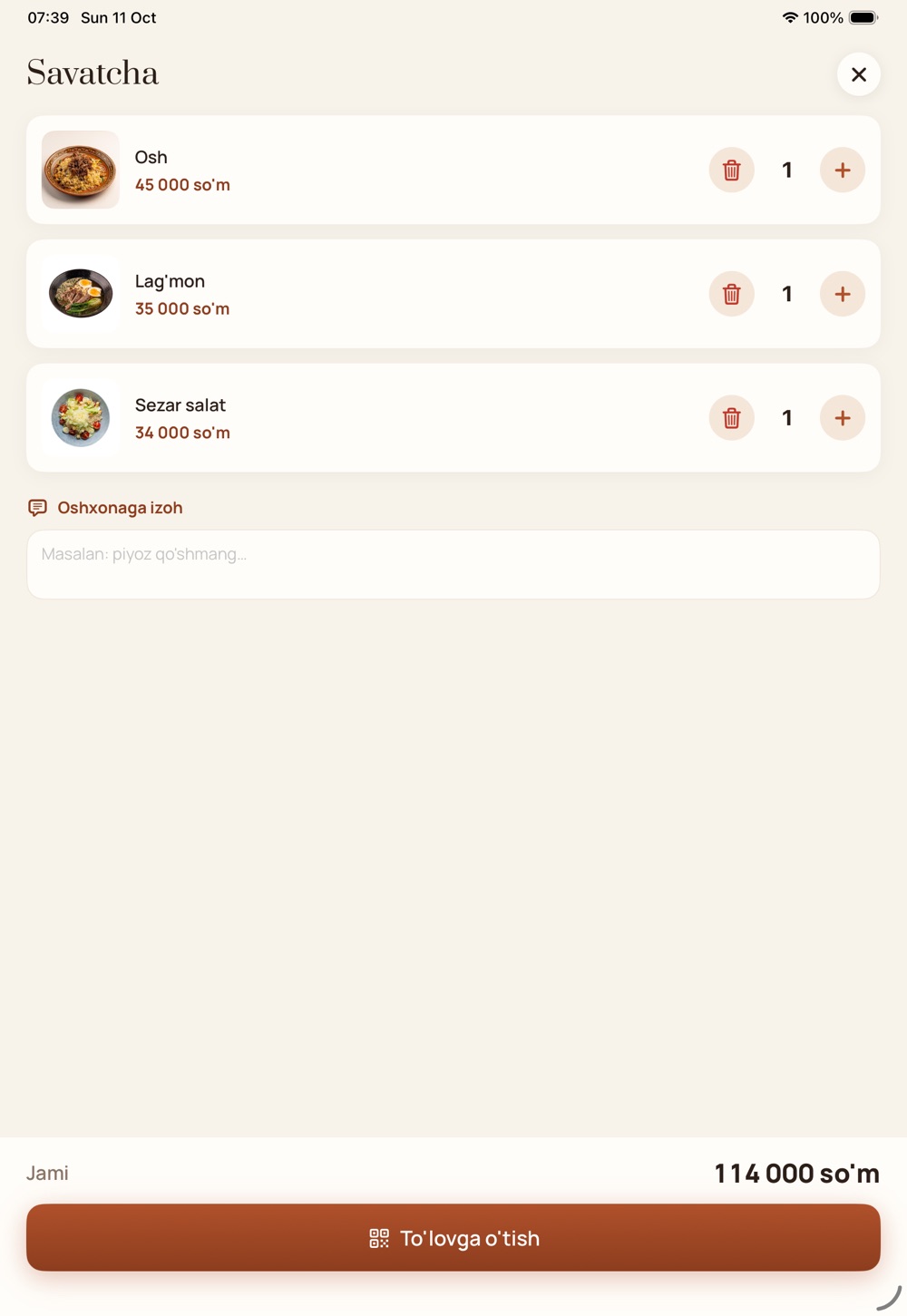
Big photos, clear prices, a simple cart
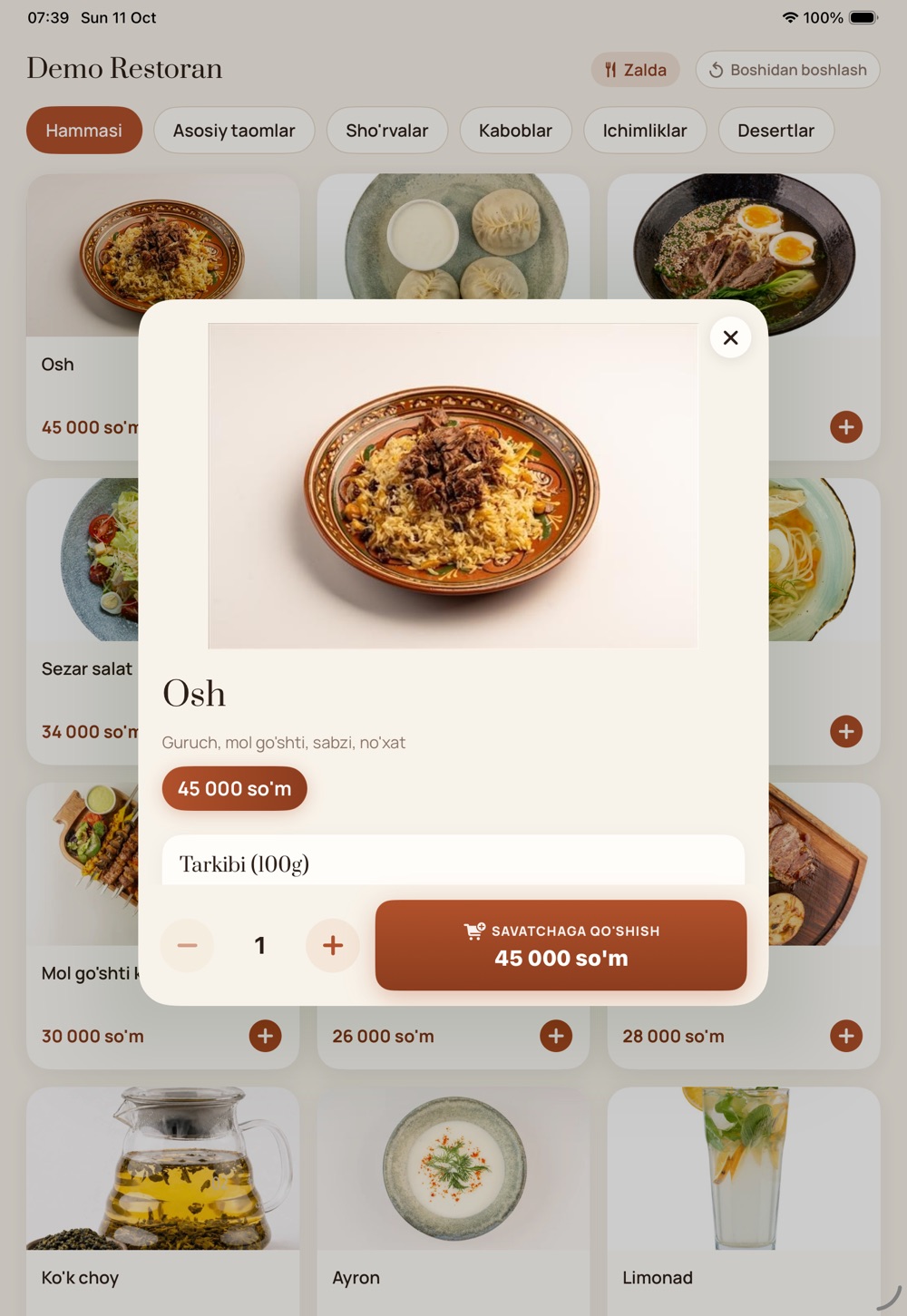
- Large photo, ingredients and price on the dish card
- Quantity and add to cart in one tap
- A note for the kitchen: «no onion», «not spicy»
- The total is always in view
- A payment QR — guests pay with their own phone
Over the internet or on the POS network
The mode is chosen on the kiosk pairing screen. In both, guests see the same screen.
Global
No POS server, over the internet: the kiosk connects to the laKiosk service, and paid orders reach the POS and kitchen through laCafe. The fastest start for a new restaurant.
Local
Connects to the branch POS server over the local network — the kiosk finds the POS on the network by itself. Payment via laPay QR.
Device
An iPad on a stand. A branch can have several kiosks — add them in laCafe settings and disconnect any time.
Put a kiosk in your restaurant
laKiosk is on the laCafe app store as a monthly subscription. After installing, branches, menu and payment methods come from the laCafe dashboard.
- App store → laKiosk → InstallNo laCafe account yet? Sign up at lacafe.uz.
- Settings → Apps → laKiosk → Add kioskPick a name, branch, menu and payment methods — a 6-character pairing code appears.
- Enter the code on the iPadOpen the laKiosk app, choose «Global» mode and enter the code — the kiosk is ready for guests.
Frequently asked questions
Where does the order go?
Once payment is confirmed — to laCafe and, if a POS is connected (iiko, Poster and others), there and to the kitchen. The «Dine in» or «Take away» choice is saved with the order.
How do guests pay?
Via the QR on screen with their own phone: Payme, Click or Uzum (connected in your restaurant). If the payment is cancelled, the order is cancelled immediately too.
Where do I fill in the menu?
In the laCafe dashboard menu: sections, dishes, photos and prices. Which menu each kiosk shows is chosen in laKiosk settings.
How much does laKiosk cost?
A monthly subscription on the laCafe store — currently 250,000 UZS per month. The exact price is on the store page.
What if a kiosk is stolen or replaced?
Disconnect it in settings with «Disconnect» — the kiosk goes straight back to the pairing screen. Pair a new one with a new code.